













Last updated October 12, 2026. Every fact about Shopify Inbox below was checked that day in Shopify's help center and on its Shopify App Store listing.
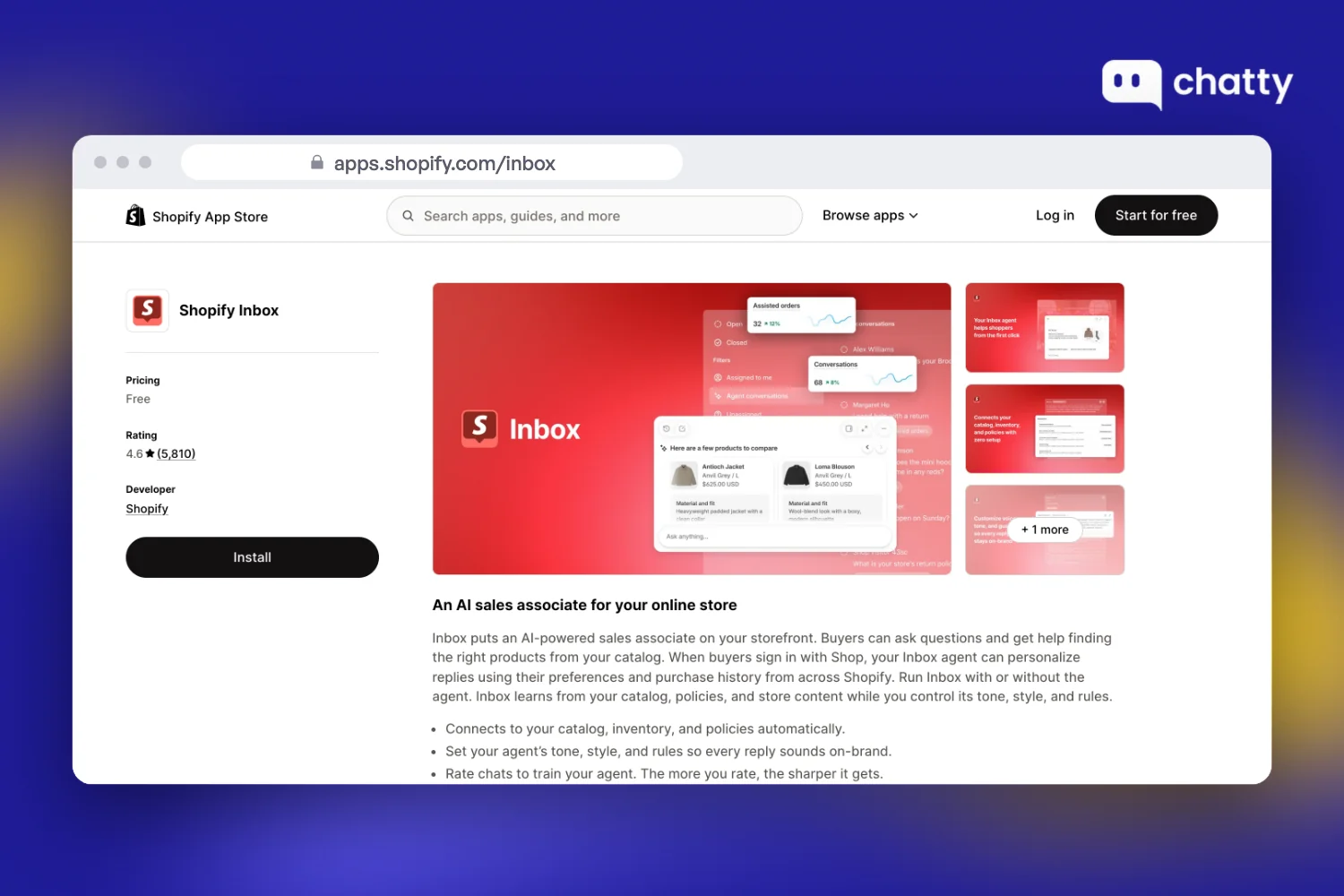
Shopify Inbox is Shopify's own chat app. It is free, and since June 17, 2026 it includes an AI agent that answers shoppers from your store data.
So price is not the question when you judge Inbox. The question is what happens around the chat: who starts it, how you reach a shopper who leaves, and where support email goes.
Start with the facts in one table, then what merchants say, how to set it up, and when Inbox is enough.
Shopify Inbox at a glance in 2026
Each row comes from Shopify's help center or the Shopify Inbox listing on October 12, 2026:
| Question | Shopify Inbox today |
|---|---|
| Price | Free, including the AI agent |
| Shopify App Store rating | 4.6 from 5,810 reviews (80% five stars, 4% one star) |
| AI agent | Optional, launched June 17, 2026. Runs on every chat, or only when your staff is unavailable |
| Who can use the agent | Stores on Basic, Grow, Advanced or Shopify Plus with new customer accounts |
| What the agent learns from | Your catalog, policies, pages and Knowledge Base |
| What the agent can do | Answer product questions, suggest products, add them to the cart, help check an existing order |
| Handoff to your team | Moves the chat to your staff with the AI's context. If no one is available, it shares your store's email address |
| Starts a chat on its own | No. A greeting and automatic first replies only |
| Channels | Online store chat, with replies sent by email if the shopper signed in or left an email |
| Support email as tickets | No |
| Reporting | Assisted sessions, assisted orders, satisfaction rate, average response time |
| The one catch | To reply after a shopper leaves, you need their sign-in or email first |
- Shopify Inbox is free, and since June 2026 it includes an AI agent.
The agent answers from your catalog, policies and pages, adds products to the cart and helps shoppers check orders. It needs a Basic plan or higher and new customer accounts.
- Inbox answers the shopper who asks, and stops there.
Its help center documents a greeting and automatic first replies, but no message triggered by a cart or a browsing pattern. Support email and social messages also live outside Inbox.
- Reviews dropped after the agent launch, then recovered.
Reviews posted in 2026 before June 17 average 4.69. The 309 reviews posted since then average 4.03, with October so far at 4.59.
- The biggest complaint was losing the shopper's email.
Since June 17, 60 one- and two-star reviews have text. By our count, 23 of them are about the new sign-in step and lost contact details. Shopify added a name-and-email option in August.
- Inbox is enough for a small store whose shoppers start the chat.
Add another app when you want to reach shoppers before they ask, handle support email as tickets, or answer Instagram and Messenger in one place.
What Shopify Inbox does in 2026
Inbox now works in two modes. Your staff can answer every chat by hand, or the AI agent can answer first and pass the chat to a person when needed.
Chatting with shoppers yourself
The staff side is the part Inbox has always done well. Everything happens inside Shopify, so you see store data without switching tabs:
- Shopper context: see what a shopper is viewing, what is in their cart and their past orders while you chat.
- Sales tools in the chat: send product links, discount codes and images. Staff with the right permission can also create draft orders.
- Quick replies and instant answers: save replies for common questions, and offer shoppers a menu of instant answers before they type.
- Availability: set your hours and an automated first reply for inside and outside them.
- Anywhere access: reply from the Shopify admin, inbox.shopify.com, or the iOS and Android apps.
Letting the AI agent answer first
The agent is opt-in, and the listing calls it "an AI sales associate for your online store". According to Shopify's help center, it can do the following:
- Answer questions about product details, stock and price, and suggest products.
- Help a shopper check the status of an existing order.
- Add recommended products straight to the shopper's cart.
- Reply in the language the shopper uses.
- Personalize replies with Shop preferences and purchase history, when the buyer signs in with Shop.
You set its tone, style and rules in a persona. You can also rate its replies with a thumbs up or down. Ratings shape future suggestions, but they do not change a reply the shopper already saw.
When a shopper asks for a person, the chat moves to your staff and the AI's context carries over. If no one is available, the agent gives the shopper your store's email address instead.
Shopify Inbox answers the shopper who asks, and stops there
Here is the one idea that explains most of what Inbox does and does not do. It is a reply tool for your storefront. It waits for a shopper to open the chat, answers well, and leaves everything outside that chat window to you.
Three gaps follow from that design, and each one is documented:
- It never starts the conversation. Shopify's chat settings cover a greeting and automatic first replies. No message fires when a cart sits idle or a shopper lingers on a product page.
- It needs contact details to follow up. Per Shopify's conversation guide, your reply reaches a shopper who left only if they signed in or gave an email.
- It covers one channel. Support email does not arrive as tickets, and the old Messenger and Instagram connection is gone. Its Messenger setup page now redirects to the Inbox overview.
None of that makes Inbox weak. For a store whose shoppers open the chat and ask, it is a free and capable tool. The gaps only matter once you want chat to reach shoppers who would not ask, or to hold all your support in one place.
What merchants say about Shopify Inbox since the AI agent arrived
We read all 5,810 Shopify Inbox reviews on October 12, 2026. Our star split matches the one on the listing, so the scan is complete.
The ratings tell a clear story. Reviews posted in 2026 before the agent launched average 4.69 across 588 reviews. The 309 reviews posted since June 17 average 4.03:
| Month (2026) | Reviews | Average stars |
|---|---|---|
| June, from the 17th | 36 | 4.61 |
| July | 139 | 3.84 |
| August | 64 | 3.73 |
| September | 48 | 4.25 |
| October, to the 12th | 22 | 4.59 |
Since June 17, merchants have left 65 one- or two-star reviews, 60 of them with text. We read each one. By our count, three complaints lead:
- Losing the shopper's email (23 reviews). Reviewers say the update replaced the old pre-chat form with a sign-in step. Merchants report that few shoppers sign in, so they cannot reply once the shopper leaves. As a July 13 reviewer put it, "there's no way for us to reach back out."
- AI answers they could not trust (12 reviews). A September 9 reviewer wrote that the agent "provides WRONG information to customers" and that they "had to disable AI bot for good."
- The redesign itself. Most of the rest ask for the old layout back, or report a widget that covers the screen or fails to open on mobile.
Shopify has responded. An August 16 reviewer raised their rating from one star to four: "Shopify has fixed the customer log-in requirement! ... Now we have an option to collect Name & Email only." October reviews so far average 4.59.
Happy merchants are specific too. An October 2 reviewer had switched Inbox off for two years. Now they say it "can handle queries beautifully," and that new-chat notifications "are instant."
Is Shopify Inbox enough for your store?
For many stores, yes. Use the two lists below to place yours, starting with when Inbox alone covers the job:
- You are on a Basic plan or higher and want a free AI agent trained on your catalog.
- Most shoppers open the chat themselves, and you answer within your business hours.
- One or two people handle support, and email lives in your normal mailbox.
Add another app when one of these is true:
- You want to message shoppers who hesitate, such as a reminder when a cart sits idle. That is proactive live chat, and Inbox does not do it.
- Support email needs priorities, assignees and statuses, not a shared mailbox.
- Shoppers message you on Instagram, Messenger or WhatsApp and you want one inbox.
- You want a name and email before the chat starts, without asking shoppers to sign in.
These are the apps Shopify merchants most often add next, with prices and ratings from each Shopify App Store listing on October 12, 2026:
| App | Best for | Not a fit if | Pricing | Rating | The catch |
|---|---|---|---|---|---|
| Shopify Inbox | Free AI chat on your storefront | You need email tickets or social channels | Free | 4.6 (5,810 reviews) | No message to a shopper who has not asked |
| Chatty (our app) | Stores that want AI to sell from the catalog and start chats | Your team runs on SLA policies and macros | Free (50 AI conversations/mo); Basic $19.99/mo for 100 | 4.9 (1,877 reviews) | Its Helpdesk has no SLA policies, macros or automation rules |
| Tidio | Small teams that want chat, AI and Flows in one app | Your volume swings with the seasons | Free; Customer Service $29/mo for 100 conversations | 4.8 (1,354 reviews) | Human chats, Lyro AI and Flows are priced separately |
| Gorgias | Teams that work order issues as tickets | Most chats are pre-sale product questions | Starter $10/mo for 50 tickets | 4.3 (704 reviews) | Tickets and AI interactions are billed separately |
Chatty is the app we build, so weigh this paragraph with that in mind. It covers the four gaps above in these ways:
- Proactive chats, such as abandoned cart reminders, on its Pro plan.
- A Helpdesk on every plan that turns support email into tickets.
- A pre-chat form that asks for a name and email, with no sign-in.
- One inbox for store chat, email, Messenger, Instagram and WhatsApp.
Its AI recommends products as cards with an Add to cart button and tracks orders from Basic up. Human conversations are unlimited on every plan. Pro costs $68.99 for 500 AI conversations, and each extra one costs $0.40 with a spending limit you set.
For the full side by side, read our Chatty vs Shopify Inbox comparison. For more options, see our list of alternatives to Shopify's free chat.
How to set up Shopify Inbox and its AI agent
Setup needs no code. The first four steps set up staff chat, and the last two turn on the AI agent and alerts.
Step 1: install Shopify Inbox
Install the app from the Shopify App Store, or search for it in your admin:
- Sign in to your Shopify admin and open Settings → Apps.
- Search for Shopify Inbox and install it.
- Inbox then appears under Sales channels in the left menu.
Step 2: turn on the chat widget
The widget is an app embed in your theme, so you switch it on in the theme editor:
- In Inbox, click Turn on chat. This opens your theme settings.
- Open App embeds and toggle Shopify Inbox on. Set the button position, icon, label, color and greeting.
- Save, and the chat button appears on your live store.
Step 3: set up instant answers
Instant answers give shoppers a menu of common questions before they type:
- Open Shopify Inbox, then Chat settings.
- Under Instant answers, click Create instant answer and write the question and full reply.
Step 4: set your hours and first replies
These two settings tell shoppers when a person will answer:
- Set your availability hours for each day, or one schedule for all days.
- Turn on automated first replies, with one message inside your hours and one outside them.
Use the outside-hours reply to say when you will answer. For more examples, see our guide to FAQ auto-responses.
Step 5: turn on the AI agent
The agent is off until you turn it on. Shopify's help center lists these steps:
- Check that your store is on Basic or higher and uses new customer accounts.
- Go to Sales channels → Inbox and turn the Inbox agent on.
- Choose All conversations, or Only when your staff is unavailable to let it cover your off hours.
- Set its persona: tone, style and any rules it must follow.
Before you go live, ask it ten real questions from your past chats. Shopify notes that you are responsible for the accuracy of its answers. One five-star reviewer found that FAQ and Knowledge Base content shaped accuracy more than the persona did.
Step 6: set notifications and the mobile app
Inbox can notify you in three ways, according to its notification settings:
- Desktop notifications in your browser. In Safari and Edge, keep the Inbox tab open.
- Mobile notifications through the Shopify Inbox app for iOS or Android. On iOS 15.1 or later, allow Cross-Website Tracking so the app stays connected.
- Email notifications to staff who have Inbox access.
Each staff member sets their own notifications. If you run several stores, you only get alerts from the store you logged in to last.
For a wider look at chat apps, read our guide to the best live chat apps for Shopify.
FAQ
Shopify Inbox is Shopify's own free chat app for your online store. You and your staff answer shoppers from the Shopify admin, the desktop app or the iOS and Android apps.
Since June 17, 2026, it also includes an optional AI agent. The agent answers questions about products, shipping, returns and store policies from your own store data.
Yes. Its Shopify App Store listing shows it as free, and that includes the AI agent. There is no paid tier.
The agent has two requirements in Shopify's help center: a Basic, Grow, Advanced or Shopify Plus plan, and new customer accounts. Legacy customer accounts are not supported.
Shopify's help center lists five jobs. It answers questions about product details, stock and price, and it suggests products. It helps shoppers check an existing order, adds recommended products to their cart, and replies in the shopper's language.
It learns from your catalog, policies, pages and Knowledge Base. You can run it on every conversation, or only when your staff is unavailable.
Partly. You can assign a conversation to a staff member who has the online store chat permission, and only that person then gets its notifications. Until a chat is assigned, every staff member is notified.
Shopify's help center describes assignment by hand, not rules that route chats by topic. If product questions and order questions need different teams, a helpdesk with routing rules will fit better.
It can help a shopper check the status of an existing order. When the shopper signs in with Shop, it can also use their preferences and purchase history to personalize replies.
Shopify's help center adds that you are responsible for the accuracy of what the agent says. Test it on your ten most common order questions before you switch it on for every chat.
Not anymore. Shopify's current Inbox help center covers online store chat only, and its old Messenger setup page now redirects to the Inbox overview.
If shoppers message you on Instagram or Messenger, you need Meta's own inbox or a separate chat app that connects those channels.
In Inbox settings, set your availability hours for each day, then turn on automated first replies. Inbox sends one message during your hours and a different one outside them.
Use the outside-hours message to say when you will reply, for example: "We reply within 12 hours on weekdays."
That sets the shopper's expectation without a separate setting.
Keep it short, say who is answering, and invite a specific question. Two examples work for most stores:
"Hi, I'm here to help. Ask me about sizing, shipping or your order." Or, outside your hours: "We're offline right now. Leave your question and email, and we'll reply by 10am tomorrow."